
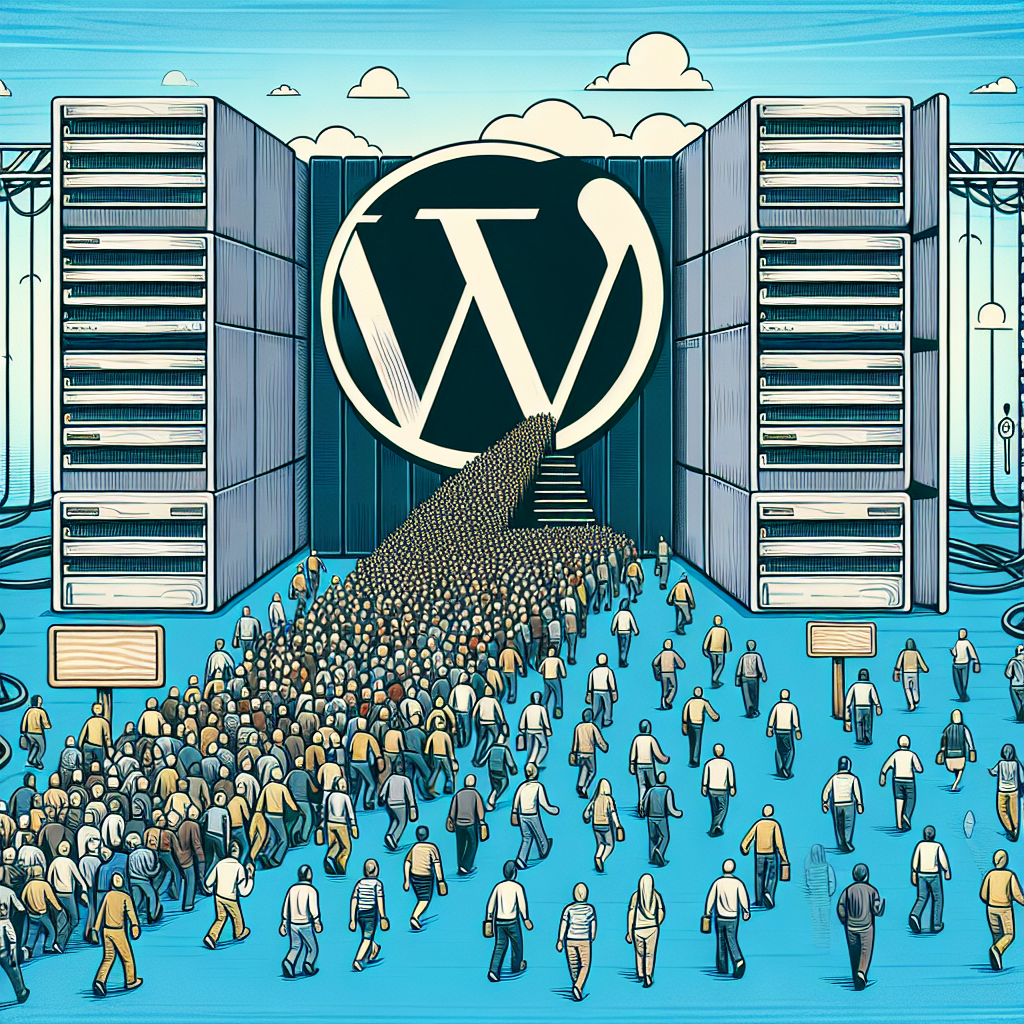


WordPress Hosting for High-Traffic Websites: Scaling Strategies That Work
If your WordPress site is graduating from “nice traffic” to “where did all these people come from?”, you don’t need a miracle—you need a plan. High traffic is great, but it exposes everything: slow queries, brittle plugins, and cloud bills you didn’t see coming. This guide walks through what actually works to scale WordPress in 2025 without turning your stack into a Rube Goldberg machine.
Short version: treat performance as a product feature, not an afterthought. Caching is your bouncer, your database is your crown jewel, and your hosting model should match your business reality. Let’s break that down.
What “High Traffic” Means in 2025
High-traffic is less about a single number and more about patterns:
– Spikes: product drops, news mentions, influencer posts—traffic bursts can multiply baseline by 10–100x.
– Logged-in load: membership, LMS, or commerce drive lots of uncached requests.
– Bots: AI crawlers and “non-human” traffic have surged; unmanaged bot traffic can swallow 20–50% of your capacity.
– Global audiences: latency kills conversion—serving APAC from a single U.S. region won’t cut it.
– Core Web Vitals: INP replaced FID in 2024, so your responsiveness under load matters as much as Lighthouse scores.
Translation: scale isn’t just “more servers.” It’s smart caching, efficient code paths, and a host that prevents bad traffic from draining good capacity.
Choose the Right Hosting Model (and Know the Tradeoffs)
Managed WordPress platforms
WP Engine, Kinsta, Pressable, Pantheon, and similar providers abstract a lot: auto-scaling, managed caching, CDN integrations, APM, backups, and often Redis/NGINX/LiteSpeed pre-tuned. Great for most businesses that want speed-to-value. Watch:
– How they handle burst traffic (true auto-scale vs throttling)
– Whether they support object caching (Redis) and HTTP/3/Brotli
– Their approach to WooCommerce and logged-in caching
– Cost at your peak versus average traffic
Cloud VPS / DIY on AWS, GCP, Azure (or Cloudways)
More control, more responsibility. You choose NGINX/Apache/LiteSpeed, PHP-FPM, database tier, CDN, and WAF. Great for engineering teams or unusual workloads (headless, heavy custom code, multi-region). Plan for:
– Observability stack (APM, logs, metrics)
– Autoscaling and failover
– Security patches and incident response
Enterprise platforms
Automattic VIP, Pantheon Enterprise, or custom Kubernetes. Best for publishers and brands that need compliance, multi-region, SLAs, and strict change control. Bring a budget and a DevOps mindset.
Quick comparison:
– Managed WP: fastest to launch, opinionated stack, predictable—but sometimes inflexible.
– DIY Cloud: flexible and potentially cheaper at scale—but you own the pager.
– Enterprise: highest reliability and governance—highest cost.
The Scaling Strategies That Actually Work
1) Layered Caching as a Strategy, Not a Plugin
Caching is your bouncer: it keeps repeat visitors out of the line so your servers can focus on VIPs (logged-in users, carts, checkouts).
– Edge CDN cache: Cloudflare, Fastly, or Akamai should serve the majority of anonymous HTML, plus all static assets. For WordPress:
– Cache HTML for logged-out users with rules that bypass wp-admin and cookies like wordpress_logged_in_*, woocommerce_cart_hash, and woocommerce_items_in_cart.
– Use stale-while-revalidate where available so users get instant responses while the cache refreshes in the background.
– Cloudflare APO is effective for content-heavy sites; Fastly shines with ESI and fine-grained policies.
– Full-page cache at origin: NGINX FastCGI cache, Varnish, or LiteSpeed Cache. Keep TTL short (30–300s) and rely on smart purges on publish/update.
– Fragment (hole-punch) caching: For personalized blocks (cart counters, wishlists), prefer ESI where supported (Fastly, LiteSpeed ESI). With Cloudflare, achieve similar results with Workers and cache keys/variants.
– Object caching: Persistent Redis is non-negotiable for high traffic. It reduces database load for options, transients, and repeated queries. Use Redis Object Cache Pro (paid) or the community Redis plugin.
– Microcaching: For high-traffic API endpoints or endpoints with short-lived data, microcache (1–10s) at NGINX to absorb spikes.
Goal: 80–95% cache hit ratio for anonymous traffic and as much object cache hits as possible for logged-in sessions.
2) Tune the Runtime (PHP-FPM, Opcache, and HTTP/3)
– PHP version: Run PHP 8.2 or 8.3; performance gains over 7.x are meaningful. Test plugins for compatibility—most reputable plugins support 8.1+ now.
– PHP-FPM: Set pm static or pm dynamic with sane pm.max_children based on RAM and request profile. Slowlog enabled. Avoid swapping at all costs.
– Opcache: Increase opcache.memory_consumption (256–512MB+) and opcache.max_accelerated_files (e.g., 200k) for large sites; timestamp validation on with reasonable revalidate freq. Preloading helps some apps but can complicate frequent deploys—measure before enabling.
– Web server: NGINX or LiteSpeed both perform well under load. LiteSpeed’s LSCache plugin is excellent if your host supports it. If you’re on Apache, ensure event MPM and consider a fronting NGINX or CDN.
– Network: Ensure HTTP/3 (QUIC) and Brotli at the edge. Use TLS 1.3. Keep-alive and connection reuse matter at scale.
3) Make the Database Boring (Fast, Predictable, and Replicated)
Most high-traffic WordPress bottlenecks trace back to the database.
– Use MySQL 8 or MariaDB 10.6+ with InnoDB. Enable performance_schema and slow query logs.
– Indexes: Meta queries on wp_postmeta can be brutal. Add composite indexes for common lookups, or move heavy meta into custom tables. For WooCommerce, use the High-Performance Order Storage (HPOS) tables.
– Autoloaded options: Keep total autoload under ~1–2MB. Audit wp_options for transients or plugin data set to autoload=yes. Fix offenders.
– Read replicas: One writer, multiple readers is common. Offload read-heavy queries (search, archives) where your app or plugin supports it. Avoid split-brain; writes should hit only the primary.
– Connection pooling: Use ProxySQL or your managed host’s pool to avoid connection storms.
– Backups and maintenance: Automatic daily snapshots plus binlog-based PITR. Routine ANALYZE/OPTIMIZE when appropriate and safe.
If search matters, don’t brute-force MySQL LIKE queries. Use Elasticsearch/OpenSearch/Algolia (e.g., ElasticPress) for relevance and scale.
4) Offload and Optimize Media
Media is often the majority of bandwidth during spikes.
– Object storage: Push uploads to S3, Cloudflare R2, or Backblaze B2 with a CDN in front. R2 can reduce egress bills when paired with Cloudflare CDN.
– Image optimization: Serve WebP or AVIF, use adaptive/responsive sizes (srcset), and consider on-the-fly transformation at the edge (Cloudflare Images, imgproxy, Thumbor, or your host’s service).
– Video: Never stream from WordPress. Use YouTube, Vimeo, or specialized platforms (Mux, Cloudflare Stream) for adaptive bitrate streaming.
– Cache-control: Long TTLs with revisioned filenames; purge on deployment for changed assets only.
5) Move Background Work Off the Request Path
If a user has to wait while your site sends emails, resizes images, recalculates stock, or calls external APIs, you’re leaving capacity on the table.
– Replace WP-Cron with a real cron job (wp cron event run or curl wp-cron.php) and use a queue system for heavier tasks.
– Action Scheduler (bundled with WooCommerce) scales better with dedicated workers and a separate database table. For large sites, back it with Redis, SQS, or RabbitMQ.
– Batch and debounce: Coalesce frequent invalidations or imports into batches; avoid stampedes.
6) Architect for Logged-In Users (The Hard Part)
Membership sites, LMS, forums, and stores see lower cache hit rates. You’ll need:
– Aggressive object caching and fragment caching for personalized blocks.
– Endpoint-specific microcaching (e.g., dashboard widgets that can tolerate 5–15s stale data).
– Efficient session storage; avoid storing large blobs in usermeta or options autoload.
– For WooCommerce:
– Exclude cart/checkout from full-page cache.
– Use HPOS, optimize coupons, and disable features you don’t use.
– Offload search to Elastic and queue post-checkout emails/webhooks.
– Test flash-sale scenarios with synthetic load that simulates add-to-cart and checkout, not just pageviews.
7) Use a WAF and Bot Management
Security is performance. A good WAF and smart rate limiting can cut load dramatically.
– WAF: Cloudflare, Fastly (Signal Sciences), or your host’s enterprise WAF. Block common exploits at the edge.
– Bot controls: Challenge high-rate scrapers and AI crawlers; throttle known bad ASNs. Configure sitemap and robots.txt thoughtfully—don’t let crawlers hammer query-heavy pages.
– Login hardening: 2FA, reCAPTCHA/Turnstile, and IP-based rate limits. Disable XML-RPC if not needed or restrict to Jetpack ranges.
8) Observability, Not Guesswork
– APM: New Relic, Datadog, or your host’s APM to surface slow transactions, plugins, and database calls.
– Logs and metrics: Centralize NGINX/PHP-FPM logs, slow SQL, cache hit ratios, origin errors, and CDN analytics. Watch p95/p99 latency and INP alongside uptime.
– Synthetic testing: k6, Locust, or your provider’s load testing. Simulate real flows: login, search, add-to-cart, checkout.
– Error budgets: Define acceptable latency and error rates, then alert on burn rates—not just CPU spikes.
9) High Availability and Global Scale
– Stateless app nodes: Build images or containers; don’t write to local disk for uploads. Use object storage for media and a shared cache (Redis cluster) for sessions and transients.
– Multi-AZ: At minimum, run app nodes across zones with a managed database offering synchronous replicas (or fast failover) in the same region.
– Multi-region: Usually overkill for WordPress writers because multi-master DB is hard. A practical compromise:
– Single write region for the database
– CDN edge caching for HTML and assets globally
– Optional read replicas in secondary regions for API/search
– Queue write-heavy tasks and avoid cross-region chatty workloads
– Deployments: Blue/green or rolling deploys with health checks. Database migrations tested on staging with production-like data.
10) Governance: Plugins, Themes, and Updates
– Keep the plugin count low and the quality high. Audit quarterly with Query Monitor and APM to find offenders.
– Prefer modern, lean themes or block themes that minimize layout thrash and JS.
– Lock a monthly patch window for WordPress core, plugins, and PHP. Automate backups and rollbacks. Test under load before big feature changes.
– Composer-managed installs (e.g., Bedrock) make versioning and CI/CD safer at scale.
Current Market Insights to Guide Your Choices
– INP is now a ranking signal: Real-user responsiveness matters. Avoid long tasks on the main thread from heavy front-end JS or poorly optimized plugins. Consider deferring non-critical scripts and reducing third-party tags.
– Edge is mainstream: HTTP/3, early hints, and edge compute (Cloudflare Workers, Fastly Compute@Edge) make personalization and cache key manipulation feasible without crushing your origin.
– WooCommerce at scale: The HPOS shift and Action Scheduler improvements mean large stores can scale without forking core—if you offload search, optimize coupons, and avoid cache-unfriendly features on high-traffic pages.
– Cost control: Egress fees are the new surprise line item. Pairing Cloudflare R2 with Cloudflare CDN reduces egress for media. Aim for high CDN cache hit ratios; a 10% hit-rate improvement can save real money.
– LiteSpeed adoption: More hosts are shipping LiteSpeed Enterprise with the LSCache plugin because it handles logged-in and ESI use cases well. If your host offers it, test—results can be impressive.
Blueprints You Can Copy
Publisher/Content Site
– Cloudflare or Fastly in front, caching HTML for anonymous users with purge-on-update.
– Origin: NGINX + PHP 8.3 + Redis object cache + MySQL 8.
– Offload images to R2/S3; transform at edge; WebP/AVIF.
– Pre-warm top pages before big releases; stale-while-revalidate enabled.
– Observability with APM and CDN analytics tied to Core Web Vitals.
WooCommerce Store
– Edge caching for catalog pages; precise cookie-based bypass for cart/checkout.
– HPOS enabled; Redis object cache; ElasticPress for search.
– Action Scheduler backed by a queue; dedicated workers for webhooks/email.
– Payment webhooks retried out-of-band; inventory updates queued to avoid lock contention.
– Load test add-to-cart/checkout paths before campaigns; database read replica optional.
Membership/LMS
– Accept lower full-page cache ratios; maximize object cache and fragment caching.
– Microcache dashboard widgets and non-critical API responses.
– Offload video to a streaming platform; use signed URLs.
– Scale horizontally with stateless app nodes; ensure session consistency.
Step-by-Step: Hardening a High-Traffic WordPress in 30 Days
Week 1:
– Move DNS to a provider with built-in DDoS and DNS analytics.
– Put a CDN/WAF in front; enable HTTP/3 and Brotli.
– Turn on Redis object cache; upgrade to PHP 8.2/8.3 and latest WordPress.
Week 2:
– Implement edge HTML caching for anonymous users with correct bypass rules.
– Audit wp_options autoload size; fix oversized entries and transients.
– Offload media to object storage + CDN; enable WebP/AVIF.
Week 3:
– Add APM; fix slowest endpoints and queries; add missing DB indexes.
– Replace WP-Cron with system cron; queue heavy background tasks.
– Optimize PHP-FPM and Opcache; set real resource limits and alerts.
Week 4:
– Load test critical flows; raise cache TTLs where safe; add stale-while-revalidate.
– Review WAF rules, rate limits, and bot management.
– Document runbooks: deploy, scale, failover, restore. Practice a rollback.
Common Myths, Briefly Debunked
– “A faster server will fix everything.” It helps—until the database or code path is the real bottleneck.
– “We can’t cache WooCommerce.” You can’t cache checkout, but you can heavily cache catalog pages and hole-punch carts.
– “More plugins means more features.” It also means more queries, hooks, CSS/JS, and maintenance. Curate ruthlessly.
– “Search is fine in MySQL.” For relevance, scale, and performance, external search wins.
What to Ask a Prospective Host
– How do you handle burst traffic and what happens at 5–10x normal load?
– Do you support Redis, HTTP/3, and Brotli by default?
– Can you cache HTML at the edge with precise cookie rules and instant purges?
– What’s your approach to WooCommerce scaling (HPOS, object cache, ESI/workarounds)?
– Which APM/observability tools are integrated?
– How are backups handled and what are typical RPO/RTO numbers?
– What’s included for WAF, bot management, and rate limiting?
– Can you provide staging, blue/green, and zero-downtime deploy guidance?
Final Take
Scaling WordPress isn’t a leap of faith; it’s closer to adding lanes to a highway. Start with edge caching, fix the database diet, tune PHP, and move anything non-essential off the request path. Add a WAF that keeps junk traffic out, and measure everything. Whether you pick a managed platform or assemble your own, the winning strategy is layered, observable, and boring in the best possible way.
If you’re planning a big campaign or seasonal surge, run the 30-day plan a month before the rush. Your future self—and your uptime graph—will thank you.

Leave a Reply