
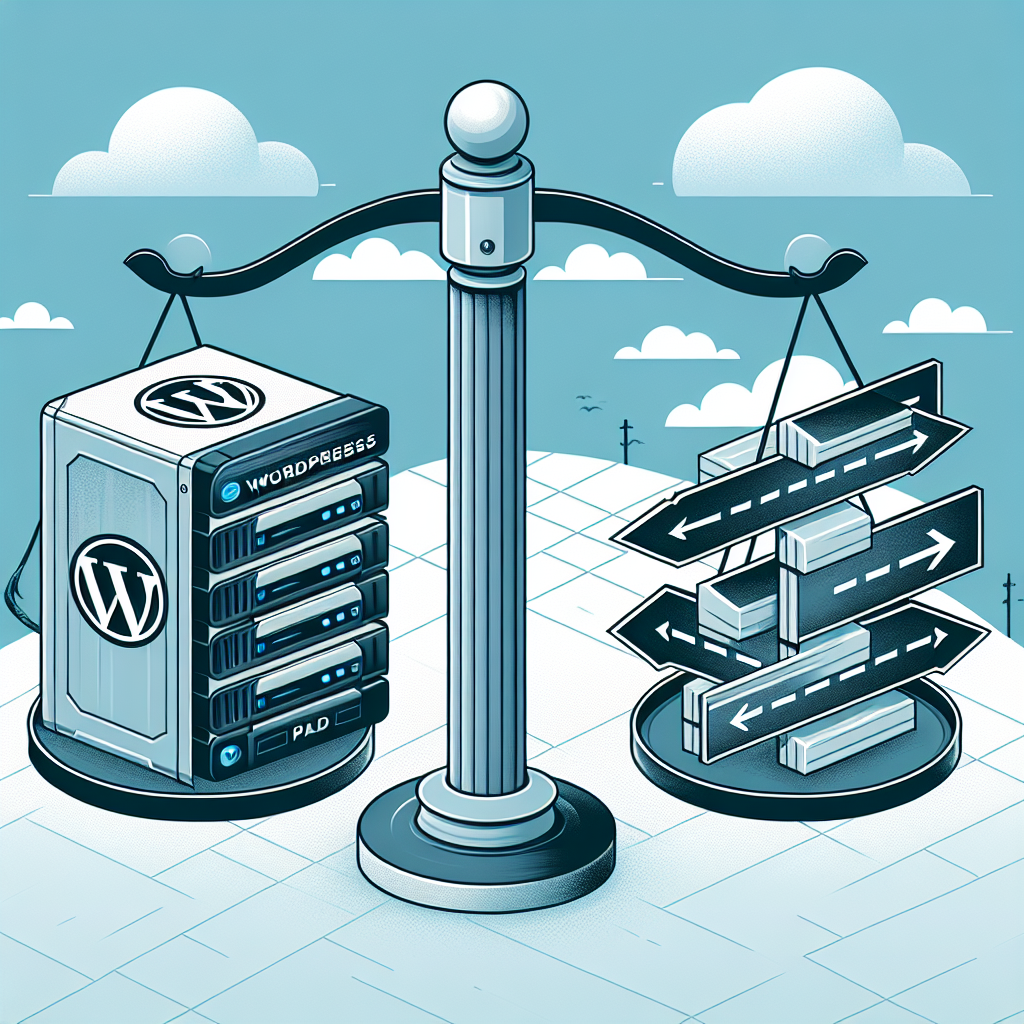


Managed WordPress Hosting vs Shared: What You Need to Know
If you’re launching or scaling a WordPress site in 2025, the hosting choice you make matters more than it used to. Search teams care about speed, security teams care about patching and isolation, and customers expect pages to feel instant on mobile. The two most common paths—shared hosting and managed WordPress hosting—can both run WordPress well, but they’re built for different jobs.
Think of shared hosting as a dorm and managed WordPress hosting as a building with a concierge. Both give you a room. Only one handles a lot of the work behind the scenes.
Below is a clear, practical breakdown to help you decide.
What each option really means
Shared hosting
– Multiple unrelated sites share the same server resources (CPU, RAM, storage, IP).
– Most use cPanel or a similar control panel and a LAMP stack (Linux, Apache, MySQL, PHP). Increasingly, newer stacks use LiteSpeed for better performance.
– You manage your own WordPress updates, caching, performance tuning, security plugins, and backups (some hosts provide basic tools).
– Priced aggressively, often $2–$10/month on promo, with higher renewal rates.
Managed WordPress hosting
– The platform is tuned specifically for WordPress with performance, security, and workflow features built in.
– Typical stack includes NGINX or LiteSpeed, PHP-FPM, server-level caching, often Redis, a CDN, and a Web Application Firewall (WAF).
– Includes automatic backups, update management, staging, and WordPress-aware support.
– Starts around $20–$40/month, with higher tiers for more resources and traffic.
Performance: what actually makes sites feel fast
Performance isn’t just benchmarks—it’s revenue and SEO. Google replaced FID with INP (Interaction to Next Paint) as a Core Web Vitals metric in 2024, pushing hosts and developers to focus on responsiveness, not just initial load. Hosting underpins your chance of meeting CWV targets.
What usually differs:
– Server cache and edge cache
– Shared: You’ll depend on page caching plugins (e.g., WP Super Cache, WP Rocket). If your shared host runs LiteSpeed, its LSCache plugin can be excellent—but you must configure it.
– Managed: Server-level full-page caching is on by default, often with object caching and CDN edge caching for anonymous users, slashing Time to First Byte.
– PHP workers and concurrency
– Shared: Concurrency limits are low, and “noisy neighbors” can starve your site during someone else’s spike.
– Managed: Clearer PHP worker allocations and burst capacity. Critical for WooCommerce, membership sites, and anything with a lot of logged-in or uncacheable traffic.
– Object caching
– Shared: Redis or Memcached may be unavailable or a paid add-on.
– Managed: Persistent object caching often included, improving database-heavy plugins and dashboards.
– Modern protocols and compression
– Shared: Varies. Some support HTTP/3 and Brotli; many still use HTTP/2 and Gzip.
– Managed: More likely to offer HTTP/3, TLS 1.3, Brotli, image optimization, and built-in CDN.
– PHP and database versions
– Shared: Hosts sometimes lag. You might be stuck on older PHP for compatibility with other tenants.
– Managed: Faster to adopt stable PHP versions (like 8.2/8.3), which are meaningfully faster and more secure.
Quick takeaway: If your site is mostly static, anonymous traffic, a well-configured shared host with LiteSpeed can be surprisingly fast. If your site handles logged-in users, carts, queries, or spikes, managed hosting’s resource isolation and caching layers usually win by a wide margin.
Security: prevention, detection, and response
In 2024–2025, most WordPress compromises stem from plugin/theme vulnerabilities and weak credential or file permissions. Here’s how the hosting models compare:
– Patching and updates
– Shared: You manage core, plugin, and theme updates. Some provide auto-update toggles, but rollbacks and testing are on you.
– Managed: Often includes safe-update workflows, vulnerability scanning, and auto-patching for known issues. Some will auto-rollback upon failure.
– Isolation and file permissions
– Shared: Accounts are isolated, but all tenants share the same OS. Misconfigurations or crosstalk can occur.
– Managed: Stronger per-site isolation, containerization, or chroot environments are common. SFTP/SSH and least-privilege user controls are standard.
– Firewall and malware
– Shared: May include a generic WAF and malware scanning, but remediation is often DIY or paid.
– Managed: WordPress-aware WAF rules, bot mitigation, malware cleanup, and proactive hardening usually included.
– Backups and restores
– Shared: Often weekly backups. Restores can be clunky or cost extra.
– Managed: Automatic daily (or more frequent) backups, one-click restores, and longer retention windows.
– Authentication
– Shared: Basic cPanel logins; you add 2FA via plugins.
– Managed: Platform 2FA, per-environment credentials, IP allowlists, and secret management are typical.
Bottom line: You can secure WordPress on any host with diligence. Managed platforms cut the operational burden and reduce the chance of a slow or painful recovery.
Scalability and reliability
– Uptime and SLAs
– Shared: 99.9% uptime claims, but transient slowness during neighbor spikes is common.
– Managed: 99.9%–99.99% with better monitoring, auto-healing PHP/NGINX, and clearer maintenance windows.
– Handling traffic surges
– Shared: If a post goes viral, you may hit throttling, process limits, or temporary suspensions.
– Managed: Caching and CDN offload handle anonymous spikes; upgrade paths and burst capacity are clearer.
– Multi-region and CDN
– Shared: Usually a single data center; CDN is an add-on.
– Managed: Built-in global CDN and sometimes regional data residency options for compliance.
Workflow and developer experience
– Staging and cloning
– Shared: You’ll create manual dev copies or rely on plugins. Easy to skip, risky to deploy.
– Managed: One-click staging, cloning, and push/pull workflows.
– Tooling
– Shared: cPanel, phpMyAdmin, basic cron, limited SSH; Git sometimes available.
– Managed: SSH, WP-CLI, Git deploys, cron management, error/access logs, and sometimes Composer/Bedrock support.
– Observability
– Shared: Limited metrics. You add plugins for monitoring.
– Managed: Real-time resource graphs, cache hit rates, slow query logs, and alerting.
If you build or maintain multiple sites, these workflow gains compound. Small improvements—like reliable staging and easy rollbacks—prevent late-night emergencies.
Pricing in 2024–2025: what the stickers don’t say
The market shifted over the last two years. Expect:
– Promotional vs renewal pricing
– Shared: $2–$5/month promos, then $8–$15/month or higher on renewal. Watch for multi-year commitments to lock promo rates.
– Managed: Entry-tier $20–$40/month; mid-tier $60–$100+. Prices have inched up with cloud infrastructure costs.
– Billing metrics
– Shared: Storage and “unmetered” bandwidth (with fair use), plus inode limits that can quietly cap you.
– Managed: Visits- or bandwidth-based pricing, PHP worker limits, and sometimes overage fees. Understand how they count “visits” (unique IP? cached or uncached?).
– Email hosting
– Shared: Email often included via cPanel.
– Managed: Usually not included. Budget for a separate provider (e.g., Microsoft 365, Google Workspace, or a transactional email service).
– Add-ons and value bundles
– Shared: Domain, SSL, email, occasional CDN credits.
– Managed: Built-in CDN, WAF, backups, staging, and sometimes premium plugins or image optimization. Those can offset third-party plugin costs.
– Hidden costs to consider
– Your time: Even a modest 1–2 hours/week on updates, backups, and fixes equals $100–$400/month in opportunity cost for many teams.
– Performance penalties: A 1-second delay can tank conversion rates and paid traffic efficiency.
– Incident response: Malware cleanup or a botched update can cost far more than the monthly host bill.
When shared hosting is the smart choice
Pick shared hosting when:
– You’re launching a small personal blog, portfolio, or brochure site with low traffic.
– You’re comfortable managing updates, backups, caching, and basic security.
– Budget constraints are tight, and you can accept slower support and occasional resource contention.
– You can pick a modern shared stack (ideally LiteSpeed + LSCache) and keep plugins lean.
Make it work harder:
– Use a lightweight theme, image compression, and a performance plugin.
– Turn on page caching and configure LSCache or a similar tool.
– Keep PHP current and remove heavy, overlapping plugins.
– Add a cheap CDN for static assets.
When managed WordPress hosting pays for itself
Choose managed hosting when:
– Revenue is on the line: WooCommerce, membership sites, LMS, bookings, or heavy lead gen.
– You expect or experience traffic spikes (email campaigns, social virality, PR).
– You need predictable performance for logged-in users and checkout flows.
– You want staging, rollbacks, and expert support without assembling the stack yourself.
– You manage multiple sites and benefit from consistent tooling.
A quick rule-of-thumb: If 20%+ of your traffic is logged in or your site relies on dynamic content that can’t be cached, managed hosting’s resource isolation and PHP worker capacity will show immediate ROI.
Real-world scenarios
– Local service business (5–10 pages, contact form)
– Shared is fine. Keep plugins minimal, enable caching, and add spam protection. Upgrade only if you start investing heavily in SEO or paid traffic.
– Niche blog with seasonal spikes (10k–50k visits/month)
– Shared can work if you have edge caching and a CDN. Test a managed plan if posts keep going viral—you’ll avoid throttling.
– WooCommerce store (2k–10k orders/month)
– Managed strongly preferred. Checkout and cart pages bypass page cache. You need object caching, higher PHP worker counts, and quick support.
– Membership/community site with gamified content
– Managed. Logged-in traffic plus bursty engagement is a classic cache-buster scenario.
– Agency hosting 20 client sites
– Managed saves time with staging, templates, backups, and consistent tooling. Your margin improves through fewer emergencies.
How to evaluate hosts without the hype
– Test TTFB and INP
– Use WebPageTest or Lighthouse in multiple regions. Pay attention to the 95th percentile, not just averages.
– Check for modern protocols
– HTTP/3, TLS 1.3, Brotli, and PHP 8.2/8.3 support should be table stakes now.
– Confirm resource allocations
– How many PHP workers at your tier? Is Redis included? What’s the inode limit?
– Understand pricing triggers
– How are visits counted? What happens at overage? Is email included elsewhere?
– Review security posture
– WAF type, automatic backups and retention, malware remediation policy.
– Kick the tires on support
– Open a pre-sales chat with a technical question (e.g., “Can I run Redis object cache and HTTP/3 with Brotli on this plan?”). The depth of the response is telling.
– Try a pilot migration
– Most managed hosts offer free migrations or sandboxes. Run your production traffic through a test subdomain for a week.
Migration notes most people forget
– Lower your DNS TTL to 300 seconds 24–48 hours before the move for a fast cutover.
– Inventory emails: If your shared host includes email, plan a separate email provider before switching.
– Freeze content briefly: Put the site in maintenance mode for the final sync to avoid missed orders or comments.
– Update environment variables and salts. Replace hard-coded URLs and run a search-and-replace for serialized data.
– Validate with a checklist: cart/add-to-cart, login, search, contact forms, webhooks, and third-party integrations (CRMs, analytics, shipping).
Trends to watch in 2025
– Core Web Vitals pressure persists
– INP replaced FID in 2024. Hosts that help you deliver fast response for interactions (not just first paint) are worth it.
– LiteSpeed’s rise on shared hosts
– Many shared providers now ship LiteSpeed + LSCache. It narrows the gap for static and semi-static sites—good news for small budgets.
– Visits vs bandwidth billing
– Some managed hosts are shifting away from visit-based billing toward bandwidth or resource-based models for clearer costs.
– Security automation
– Expect more vulnerability alerts, auto-patching, and one-click rollbacks baked into platforms as plugin supply-chain incidents continue.
– Data residency and privacy
– GDPR and regional privacy concerns push hosts to offer EU/region-specific storage and logging options.
A short, honest comparison
– Shared hosting
– Pros: Cheapest, includes email, simple to start, LiteSpeed can be fast.
– Cons: Resource contention, weaker tooling, DIY security/performance, slower support, lagging versions.
– Managed WordPress hosting
– Pros: Performance out of the box, staging/backups/WAF/CDN included, faster PHP and modern protocols, expert support, better for logged-in traffic.
– Cons: Higher price, email usually separate, plan limits and overage policies to understand.
If shared hosting is a public bus, managed hosting is a private shuttle that already knows your route. You pay more, but your odds of arriving on time improve.
The bottom line
– Choose shared hosting if your site is simple, low traffic, and you’re comfortable handling updates, caching, and basic security. Pick a provider with LiteSpeed, keep the stack lean, and add a CDN.
– Choose managed WordPress hosting if you rely on uptime and conversion (ecommerce, membership, or frequent campaigns), expect growth or spikes, or want reliable workflows and expert support.
The real decision isn’t just monthly price—it’s performance headroom, time saved, and risk avoided. If a single slow campaign or checkout glitch costs more than the price delta, managed hosting is the economical choice. If you’re early-stage or content-first without complex dynamics, a modern shared plan can take you surprisingly far.
Whichever you choose, run a short pilot, measure real user metrics (especially INP), and confirm what happens on your worst day, not just your best. That’s the difference between hosting that works and hosting you never have to think about.

Leave a Reply